
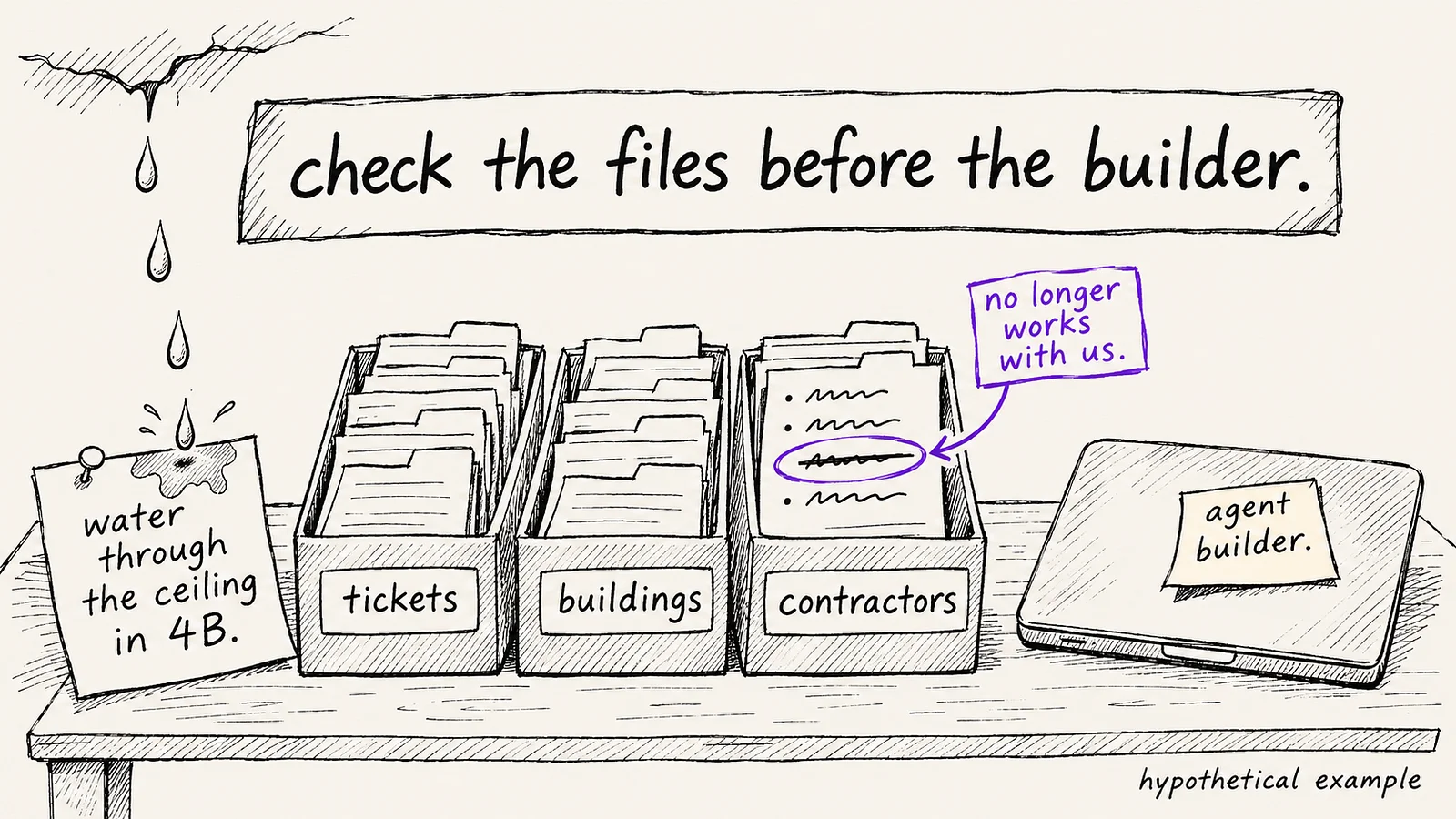
Suppose a property manager sends you two years of tickets, a contractor list and a building list and asks for an agent that triages repairs and books contractors. On day one, a tenant reports a ceiling leak in unit 4B.
Data for AI agents is the records, reference lists and written rules an agent reads to make each decision in its task. Before you build an agent, check that data against those decisions: whether records are current, names match across files, field meanings stayed the same and rules are written down.
Adapted from an essay by Bogum Yoo, COO of CUBIG, written for the CUBIG Tech Blog.
Key takeaways
- Map the agent’s task to the decisions inside it, and each decision to the data it reads and the client-side person who owns that data.
- Stale reference lists, mismatched identifiers, fields whose meaning changed and unwritten rules are the data problems to check first.
- Build test cases from requests the client has already resolved, and set the pass rule before the first run.
- Hand back what the agent cannot decide from the data, what the client needs to change and what the agent does until then.
What do you need before you build an AI agent?
Before you build an AI agent, you need the task in one line, the decisions the agent makes inside that task and, for each decision, the data it reads and the person on the client side who owns that data.
In the property manager example, the task is to triage maintenance requests and book a contractor. To handle the ceiling-leak message, the agent has to decide how urgent the request is, which building and unit it belongs to, which contractor to send and what is allowed after hours. Three of those decisions each read a different file. The fourth reads nothing yet.
| Decision | Data the agent reads | What to check |
|---|---|---|
| How urgent is it? | Priority field in past tickets | Whether priority was recorded the same way across both years |
| Which building and unit? | Building list | Whether building IDs match the ones in the ticket file |
| Which contractor? | Contractor list | Whether the list is current and shows who is on call |
| What is allowed after hours? | Nothing yet | Whether the rule exists anywhere outside the manager’s head |
The last row needs a decision before the build starts. If the after-hours rule is missing, agree with the manager on what the agent should do until someone documents the rule. In this example pilot, the agent forwards the original request and leaves the booking for the manager’s approval.
OpenAI’s A practical guide to building agents makes a related point: actions that are “sensitive, irreversible, or have high stakes should trigger human oversight until confidence in the agent’s reliability grows.” An after-hours booking with no written rule behind it is a reasonable action to hold for approval.
Which data problems break an AI agent first?
Four data problems are worth checking first: stale reference data, identifiers that do not match across files, fields whose meaning changed over time and rules that are not in the data at all.
- Stale reference data: The contractor list still includes a plumber who stopped working with the client last spring. Without an availability check, that plumber could still appear as the recommended contractor.
- Identifiers that do not match: Suppose the client uses a custom Building dropdown in Zendesk. Its options say “Elm Street” and “Oak Road,” while the building list uses B-102 and B-205. Ask the manager to confirm which name maps to which ID, and keep unmatched requests in review until the manager approves that mapping.
- Fields whose meaning changed: In the first year, the team marked nearly every ticket high. In the second year, the team switched to a three-level scale. Read together, the priority field teaches the agent a mixed signal.
- Rules that are not in the data: The manager only calls contractors after hours for active leaks. Nobody wrote that down.
Machine learning engineers have warned about a related problem for years. In Hidden Technical Debt in Machine Learning Systems (NIPS 2015), Sculley and colleagues call some input signals unstable, meaning that they “qualitatively or quantitatively change behavior over time.” A priority field that moved from almost always high to a three-level scale is a similar case for an agent reading two years of tickets.
Unwritten rules are a separate gap from messy data. CUBIG covers that gap in more detail in Why does AI miss business rules and exceptions?
How do you find these data problems before the build?
You can find stale and mismatched records with a small sample traced by hand. Pull twenty past tickets and trace each one to the building list and the contractor list. Record each ticket you cannot match to a building or to an active contractor.
The unmatched tickets give you the first questions for the client. Each data problem you find also becomes a test case in the next step.
How do you test an AI agent on a client’s data?
Turn requests the client has already resolved into test cases, write the expected action for each and set what counts as a pass before you run anything.
- Pick past requests with a known outcome. Use the past resolution as a starting point, and have the manager confirm the expected action against the current contractor list and policy.
- Write the expected action for each case: the urgency level, the contractor, or a handover to the manager with a reason.
- Add one case for each data problem you found: the inactive plumber, the mismatched building ID and the leak reported after hours.
- Decide the pass rule before the first run. Do not change it after you see the results.
- Record each run: the input, the date of each file the agent read, the agent version and the output.
- Run the cases again whenever the client sends a new version of a file.
For the ceiling leak in this pilot, a pass means three things. The agent marks the request urgent. The manager receives the original message and a list of what the agent could not confirm, such as which plumber is active for that building. No contractor is booked until the manager approves.
Once contractor availability, building mappings and after-hours rules are confirmed, agree with the manager on a separate test for automatic booking.
Anthropic’s engineering team gives related advice in Building effective agents (December 2024). Because autonomous agents can compound errors, Anthropic recommends “extensive testing in sandboxed environments, along with the appropriate guardrails.” When there are few resolved requests to replay, CUBIG’s article on where AI agent test scenarios come from covers how to build cases from work documents.
What should you hand back to the client?
Hand back a short list of what the agent cannot decide from the client’s data, what the client needs to change and what the agent will do until the client makes that change.
| Item | What we found | What the client needs to do | What the agent does until then |
|---|---|---|---|
| Contractor list | Two inactive contractors, no on-call field | Mark who is active and who is on call | Sends every booking to the manager for approval |
| Building IDs | Street names in tickets, codes in the building list | Confirm one ID per building | Asks the manager to confirm the building |
| After-hours rule | Not written anywhere | Write what counts as urgent after hours | Sends every after-hours request to the manager |
Every row comes with a fallback the client can accept or replace. For the next property manager, Yoo suggests requesting the active-contractor list, the building-ID mapping and the written after-hours rule before the build starts.
Where does CUBIG fit when you prepare data for an AI agent?
CUBIG prepares and checks enterprise data for specific AI tasks. Syntitan, CUBIG’s AI-ready data platform, checks a dataset against a specific task and compares it before and after preparation.
Two of the six axes Syntitan uses to check raw data relate to the property manager case. Consistency looks at whether the same value follows the same rule, such as whether a “high” priority means the same thing across both years of tickets. Traceability is the axis for whether each prepared version can be followed back to the original data. Syntitan keeps the original data intact and saves each prepared version separately, so your run log can name the exact version each test used.
When the contractor list changes, prepare a new version and rerun the ceiling-leak case in your own agent environment. Record whether the proposed contractor changed and whether the request still reached the manager for approval. Try it on your data in Syntitan: prepare and check the data behind a specific AI task.