
The three data blockers are the three specific reasons enterprise AI stalls on its data: it is restricted, so you cannot use it as it stands; unusable, so a model cannot learn from it; or unstable, so a result that worked once cannot be reproduced.
Naming which of these data blockers you are hitting is the first practical move, because each one has a different fix. Many AI projects never reach production, and when RAND’s researchers interviewed the engineers behind failed projects, data quality and availability kept appearing among the leading root causes. Many stalled projects are stuck on at least one of these three. Teams that skip the naming step can spend months on the wrong remedy: cleaning data that was never the problem, or retraining a model when the real issue was access or reproducibility.
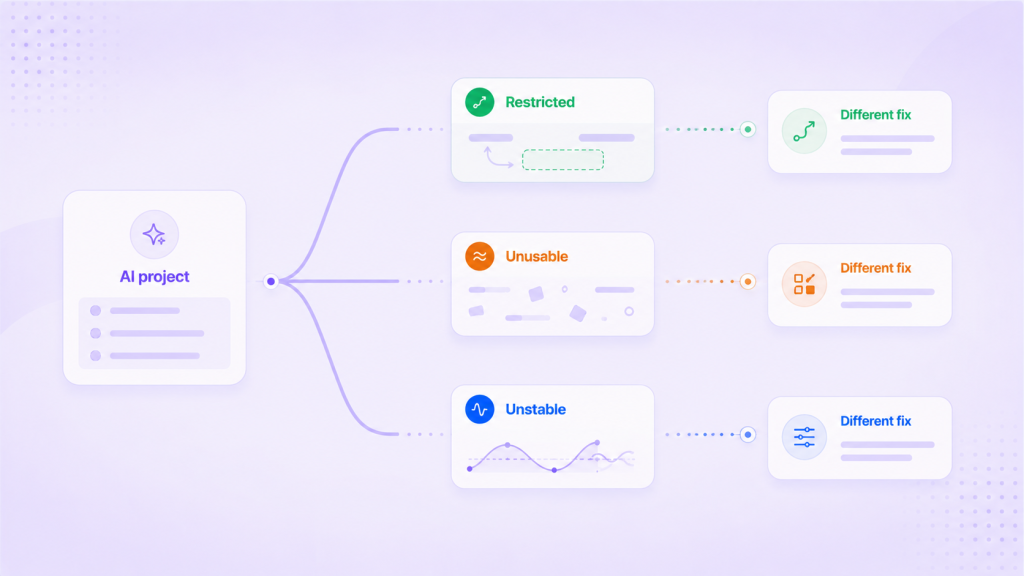
Blocker 1: restricted data you cannot put in front of a model
The data exists and would be useful, but you cannot use it as it stands. Regulation, contracts, or internal policy keep it from leaving its environment or reaching a model. This is not a quality problem, because the values are fine. It is a usability-under-constraint problem, and teams often mistake it for a dead end.
The wrong response is to copy the raw data somewhere less restricted, which trades a blocker for a liability. The better response is to synthesize a version of the data that preserves its structure, its statistics, and the rare patterns that matter, without carrying over the raw values that blocked it, so a model can learn from it within the limits that apply. Restricted is what the Usability axis is really measuring under constraint: can this be used safely here, not merely does it exist.
Blocker 2: unusable data a model cannot learn from
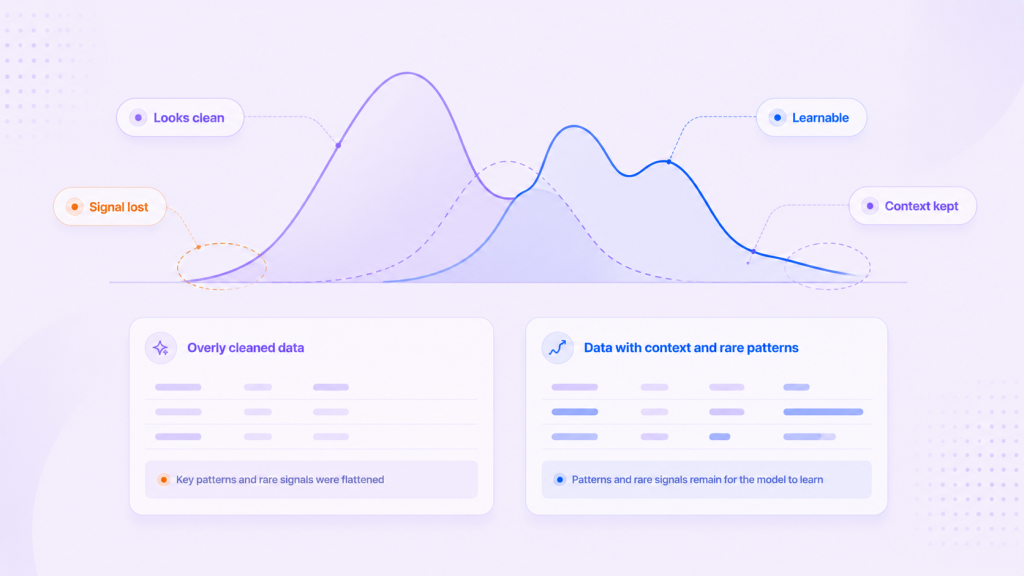
The data is accessible but not learnable. Missing values cluster in the wrong places, the rare patterns that carry the signal barely appear, definitions differ across teams, and the context a model needs got stripped somewhere in transformation. The dataset passes basic checks and still produces weak results. In a CHI study of high-stakes AI, practitioners interviewed described data cascades: upstream data issues compounding into failures far downstream, long after anyone treated them as AI work.
This is the blocker closest to traditional data quality, but the bar sits higher. Quality asks whether you can trust the values. Readiness asks whether a model can actually learn the task from what is left. A dataset can be spotless and still unusable: a blank that meant the test was not ordered gets imputed to a column mean, or a bimodal column that signalled two distinct populations gets normalized into a smooth ramp. Fixing it means restoring context, correcting skew, and strengthening the patterns the task’s evaluation metric depends on, which is what the Context and Integrity axes capture.
Blocker 3: unstable data whose state you cannot reproduce
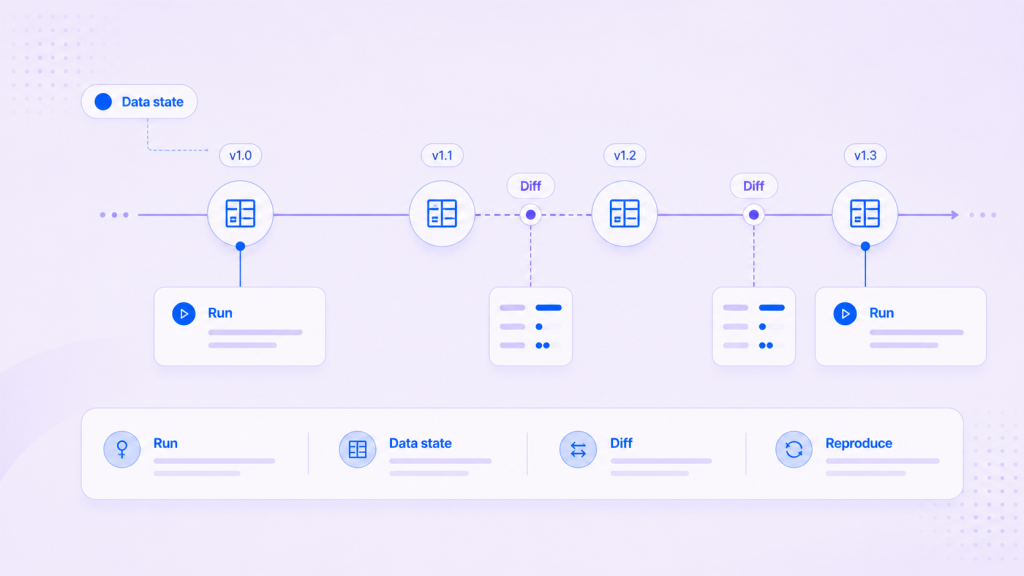
The data works today and breaks next month with no visible change. Model, prompt, and code are identical, but the data window shifted, a schema changed, a preprocessing library moved a version, or a permission boundary moved under the run. The result is no longer reproducible, and no one can point to what moved.
This is an execution-state problem, and it is the one teams often misdiagnose as a model problem, because everything about the model says nothing changed. It also survives a successful pilot and only surfaces in production. A decade ago, the NeurIPS paper on hidden technical debt in machine learning already ranked data dependencies as costlier than code dependencies in production ML. The fix is to treat the data state behind each run as something you can fix, version, compare with the previous state, and go back to, rather than something that drifts in the dark. That is the territory of the Consistency, Reproducibility, and Traceability axes.
Three data blockers, three different fixes
Naming matters because the responses do not overlap. Apply the wrong fix and the project stays stuck while looking busy: you clean a dataset that was actually restricted, or you retrain against an unstable state that will drift again on the next run.
| Blocker | What is wrong | The fix | Axes most affected |
|---|---|---|---|
| Restricted | Cannot be used as-is for compliance reasons | Synthesize within constraints, preserving structure | Usability, Integrity |
| Unusable | Present but not learnable | Restore context, fix skew, strengthen rare patterns | Context, Integrity |
| Unstable | State changes, so the result cannot be reproduced | Keep a fixed data Version behind each run that you can compare and go back to | Consistency, Reproducibility, Traceability |
The blocker teams underestimate most is the unstable one, because the data looks fine until a result that worked last month cannot be reproduced this month. By then the pilot has shipped and the failure lands in production, where it is expensive to trace.
How to tell which data blocker you are on
Run this quick self-check before you commit engineering time to a fix:
- If the useful data cannot be put in front of a model at all for compliance reasons, that is Restricted.
- If the data is available but the model underperforms and you cannot say why, suspect Unusable: context or signal was lost upstream.
- If a result that worked before now cannot be reproduced and the model is unchanged, that is Unstable.
- If all you have is a sense that the pipeline is green and no readout across the six axes, you cannot yet tell which, and that gap is itself the first thing to fix.
Many stalled projects hit more than one blocker at once, which is why a diagnosis across all six axes is a better starting point than arguing about which one it is.
Where it fits: readiness as the state past all three blockers
AI-ready is the state on the other side of these three data blockers: data you can use within its constraints, that a model can learn from for a specific task, and that you can still check once it reaches production. For a fuller definition, see what AI-ready data is and how it differs from clean data.
Syntitan, CUBIG’s AI-ready data platform, diagnoses enterprise data on six axes: Usability, Integrity, Context, Consistency, Reproducibility, and Traceability. A blocker then shows up as a low reading on a specific axis instead of a vague sense that the data is not ready. The axes show what to fix for a task; a high score alone does not show task fit, which is checked separately by comparing the data before and after preparation under the same model and evaluation conditions. For production AI the question is not only which model ran, but which data state and execution conditions produced the result; Syntitan saves each successful processing step as a Version you can compare with the previous state, and linking agent runs to those Versions is planned for December. That arc, making data ready for the task and keeping the evidence, is the job of the AI-ready data operating layer between data management and AI execution. When this state slips in production, the failure often looks like a model problem; why AI fails after deployment traces how that happens. Any performance figure you see is representative until you check it on your own model and data.
Try it on your data for free. Run a sample proof and see it on your own workflow.